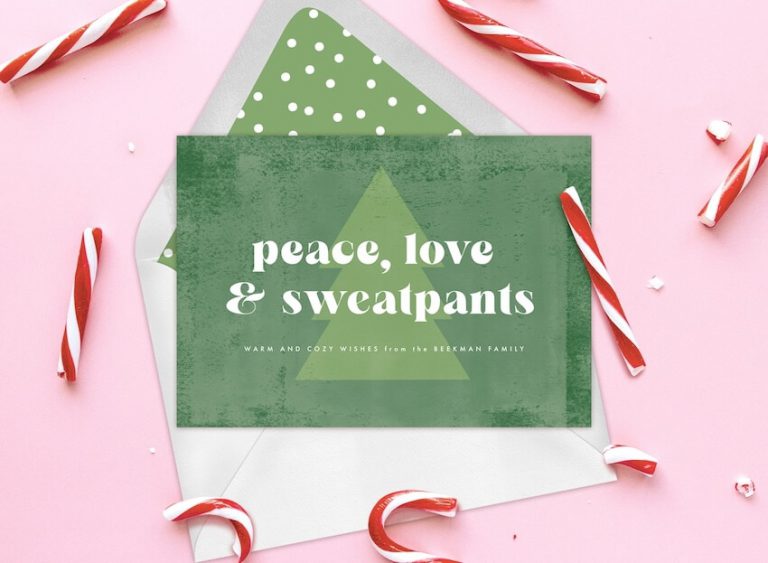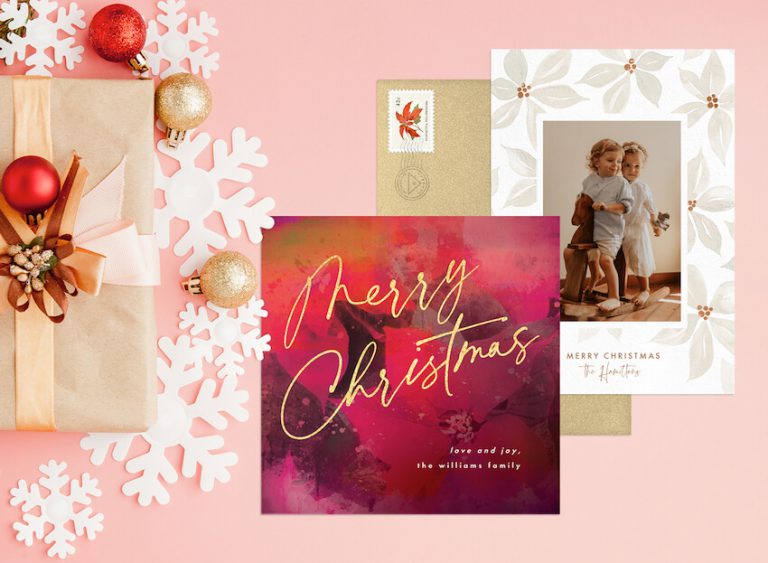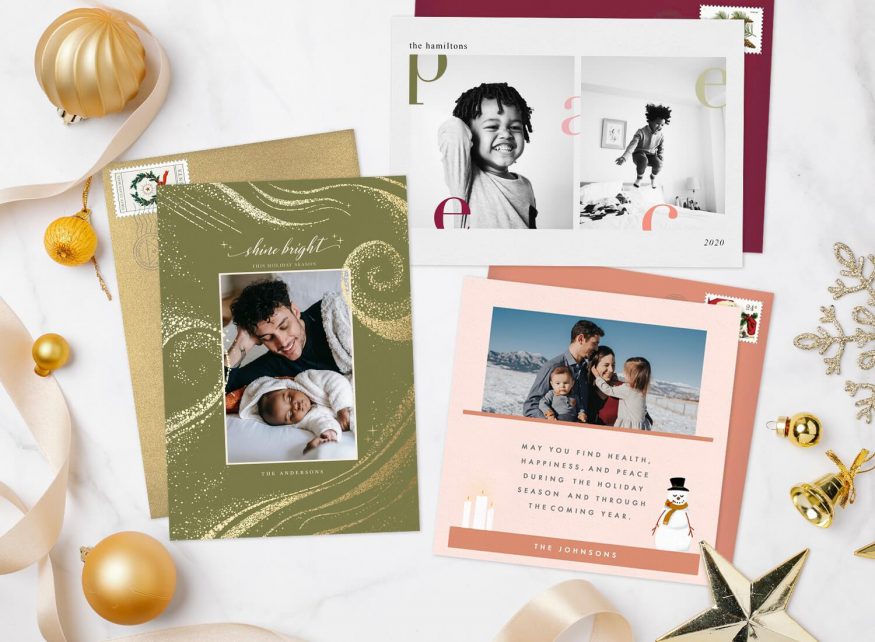
When the end of the year draws near, it’s time to get into the holiday spirit. Over the past 12 months, your life and family have changed, and you have every intention of sharing the past year’s growth with a photo holiday card.

Create Your Holiday Party Invitation
Design and send elegant, customizable digital invitations with real-time RSVP tracking — no time limit, no credit card required.
Get startedThe work comes down to three decisions: which photo says something about your year, which layout gives that photo room, and what to write alongside it. A photo holiday card helps friends, family members, and other loved ones keep up with your ever-evolving life. Greenvelope makes the digital version effortless, pairing designer photo card layouts with an animated envelope opening and delivery by email or text on an ad-free platform, with a dashboard that shows each card’s delivery status and which cards have been opened. Below, we share a complete guide to creating your own DIY photo card, including what to photograph, how to build it, messages to write, and different designs you might want to send.
How to Make and Email Your Own Photo Holiday Card
Fortunately for you, you can create gorgeous DIY photo holiday cards without ever breaking open the craft table. To make and email your own holiday card, follow these simple steps:
- Pick out your favorite photos: Pull out the photo albums, empty the shoeboxes of photos, and scroll through the endless albums on your phone. Start with a shortlist of eight or so, then narrow it to the one to six photos that fit the layout you end up choosing. (Remember: Many design templates allow you to send a collage, so you don’t have to narrow your choice down to just one photo.)
- Collect your loved ones‘ email addresses: To send out your holiday card, you don’t need to do a mail merge, lick hundreds of envelopes, or even add a physical return address. Instead, organize everyone’s details in a spreadsheet and import that Excel or CSV file from the Send step, under Add Contacts. You can also import straight from Gmail, Outlook, Yahoo and other webmail providers, paste in a list of email addresses, or pull people from your Greenvelope address book.
- Browse photo card designs: Browse through hundreds of digital holiday card designs and choose the photo card that suits you best. Our photo holiday card ideas for families narrow it to twelve layouts by how many photos you have.
- Add your photos and personalize the card: Upload the images you picked, then look at how each one sits in its frame and adjust the crop so no face is clipped at an edge. From there, customize the wording of your custom holiday card, add your family names, and adjust the color scheme so it works with your photos.
- Preview, send, and check delivery: When your holiday card is finished, preview it and send yourself a test. Check the photos and wording on your phone, then send it to your list. Review delivery status and recorded opens in your Greenvelope dashboard, and correct any flagged delivery problems. A recorded open does not confirm that someone read the message.
What to Write in Your Photo Holiday Card
Now that you know how to build your own holiday card, you can decide on the phrasing you wish to use. Here’s a bit of inspiration for heartfelt holiday messages to include with your card:
- Merry Christmas and Happy New Year to you and your family! Our greatest gift is having so many wonderful family and friends like you in our lives.
- Here’s to a meaningful Hanukkah! Wishing you and your family peace and blessings this holiday season.
- Season’s greetings from our family to yours! We wish you nothing but health, joy, and celebration in the next crazy year.
- Happy holidays and cheers to the New Year! The highlights of our year include welcoming our granddaughter and kicking off our retirement with a trip to the Grand Canyon. Thank you for all your well wishes!
- Happy holidays from our family! We hope you’re cozying up with friends, family members, and other loved ones, so have a spiked eggnog in our honor!
- Holiday greetings from our family to yours. In the past 12 months we’ve been blessed with many visits, texts, and phone calls from each of you, and we hope you know that each message means the world to us.
- We hope your Kwanzaa is filled with joy and prosperity. We are so grateful to have each and every one of you in our lives.
- Happy holidays to your family! Our year-in-review featured snowball fights, a river rafting trip, plenty of campfires and movie nights, and family dinners. Our hearts are full, and we’re so blessed to know each of you.
Family Photo Holiday Card Ideas
The hard part of a photo card usually isn’t the design, it’s deciding which picture to send. Each of the six ideas below works with a phone camera and the people and pets in your life, and comes with the framing to watch, the layout it suits, and a caption you can borrow.
1. A Candid From an Ordinary Evening
Pick something your household already does in December, whether that’s decorating, baking, or arguing over a board game, and prop your phone on a shelf with the self-timer or burst mode running. Shoot wider than feels natural so hands, mugs, and the table stay in the picture; you can crop in later, but not back out. Suits a single landscape photo, or two or three frames from one burst in a small grid. Caption: “Caught mid-batch, as usual.”
2. A Simple Outdoor Portrait
A porch, a park bench, or the trail you walk every weekend is backdrop enough. Go out in the last hour before sunset or on an overcast afternoon, when the light is even and nobody is squinting. Leave headroom and some empty space to one side. On a design that overlays lettering on the photo, that quiet area is where the greeting lands; if you would rather keep type off the picture entirely, choose a single-photo design with its own text area instead. Caption: “Warm wishes from the Delgados.”
3. A Year in Review Collage
Pull a shortlist from the year’s photos, then settle on the six that work as a set, mixing distances: a close-up, a wide shot, a small detail like a hand on a dog’s head. Preview each photo in the chosen layout and adjust its crop to keep faces clear of the frame edges. A six-photo grid is the fit here. Caption: “A few favorites from this year.”
4. The Whole Group, Together
Take the picture whenever the group is already together rather than waiting for a better occasion, and if several generations are in the room, get them into one frame while you can. Put taller people behind and shorter people in front, then shoot from slightly above eye level so every face is visible and nobody’s head crowds the top edge. A wide, single landscape photo holds a group better than a grid. Caption: “All of us, in one place, finally.”
5. The Pet-Centered Household
If the animals are the main event, make them the main event. Hold a treat just above the lens, get down to their eye level, and shoot a burst rather than trying for one perfect frame. Crop in afterwards so the face fills the space instead of sitting small in the room. One photo space is usually enough. Caption: “Season’s greetings from the three of us, one of whom is a dog.”
6. A Then-and-Now Pair
Find an older picture, from last year or twenty years ago, and recreate it: same doorstep, same bench, roughly the same pose. If the original is a print, lay it flat near a window and photograph it straight on rather than at an angle. Match its orientation and crop so the pair sits evenly, which makes a two-photo layout the natural choice. Caption: “Ten years apart, same front steps.”
Which Layout Fits Your Photo
Once you know which picture you’re sending, the layout decision is mostly arithmetic. Here’s how the ideas above map onto designs further down this page:
| What you have | Layout to look for | Design to start with |
|---|---|---|
| One strong image | A single photo space set into the artwork, with the greeting and your family name on the design rather than over the photo | Winter Trees by Basil Design Studio |
| Three favorites and no clear winner | Three photo spaces side by side above the greeting | Feature Frame by Snow and Ivy |
| A year’s worth of small moments | Six photo spaces, three above and three below the greeting line | Six Wishes by Kate Ross Design |
| Four photos and a playful greeting | Four photo spaces alternating with large lettering, plus a matching back panel for a longer personal message | Fun Or Whatever by Creo Study |
Check the Card on a Phone Before You Send
Preview the finished card on a phone before you send it, and run through this quickly:
- Look at the whole card at phone size, not just the photo you uploaded.
- Check the layout hasn’t cropped a face at the edge of a frame.
- Read your names and your caption at arm’s length. If you’re squinting, shorten the wording rather than shrinking the type.
- Keep text off the busiest part of a photo. Move the greeting to a calmer area, or pick a design with its own text panel.
- Preview the finished card, send yourself a test, and look at that test on your phone before the real send.
Greenvelope’s advanced card builder adds images from the Design step under Edit Card, and the support article on adding a photo or logo walks through it. For wardrobe, lighting, and posing, our guide to how to take holiday photos at home covers the shoot in more detail than we can here.
Holiday Photo Card Designs to Send to Family and Friends
Greenvelope has a number of gorgeous, high-quality designs that work as Christmas cards, Hanukkah cards, or even New Year’s cards. Here are a few templates to send to your loved ones:
1. Winter Trees Card
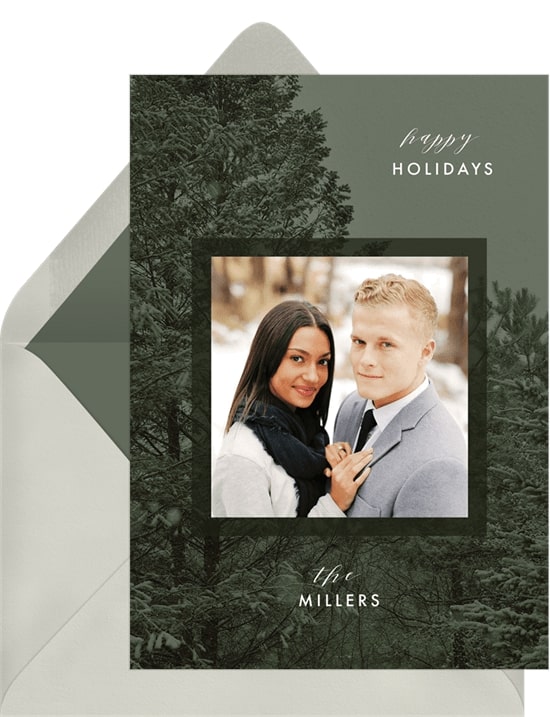
This modern card sets a single framed photo into a snowy evergreen scene in muted greens, with “Happy Holidays” written near the top and room for your family name underneath. It’s the one to pick when you have a single photo you want to highlight.
2. Let Your Light Shine Card
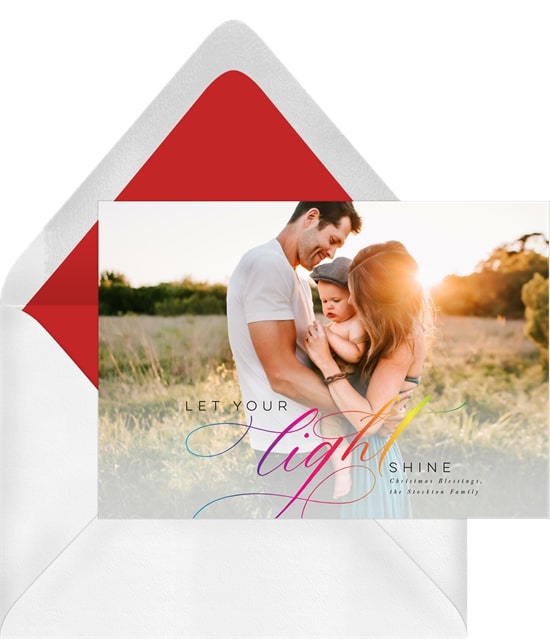
This whimsical card features a blown-up photo as the entire background. You can use the wording, “Let your light shine,” or customize the cursive font to suit your tastes.
3. Feature Frame Card
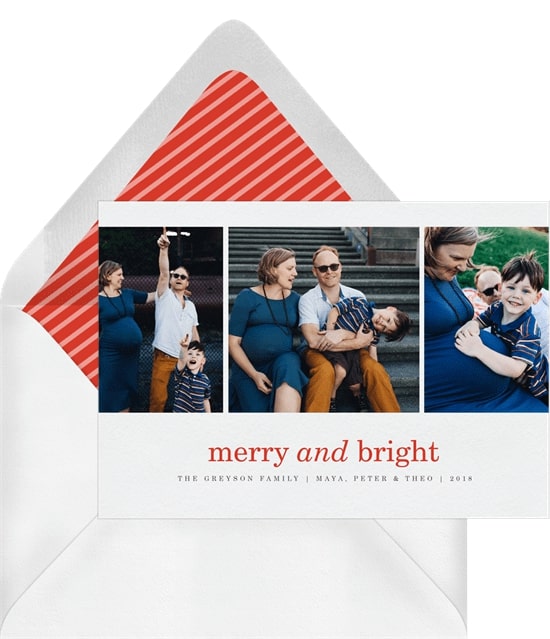
Can’t choose just one favorite photo? This holiday card acts as a mini photo book, with three photo spaces in a row above the greeting so you can share three adorable photos with your family and friends.
4. Fun or Whatever Card
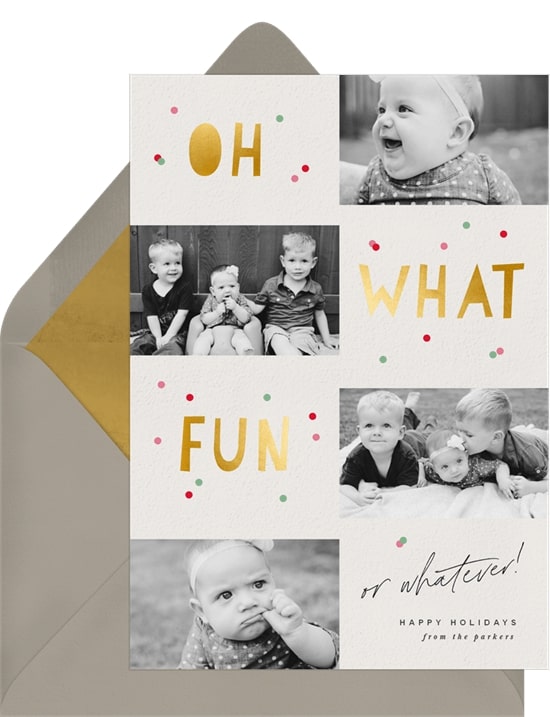
This multi-photo card alternates four photo spaces with the words “Oh,” “What,” and “Fun” in playful gold lettering, and finishes with “or whatever!” above your sign-off. Four family photos and a built-in punchline make it a holiday greeting card that brightens someone’s day.
5. Twinkling Lights Card
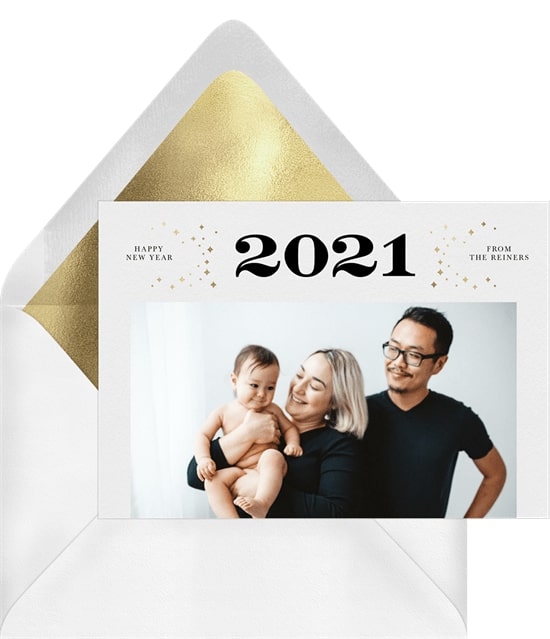
This simple holiday card features the year in large print followed by a single large photo. You can easily use this holiday design as your family card or a business holiday card for your company.
6. Colorful Folk Wreath Card
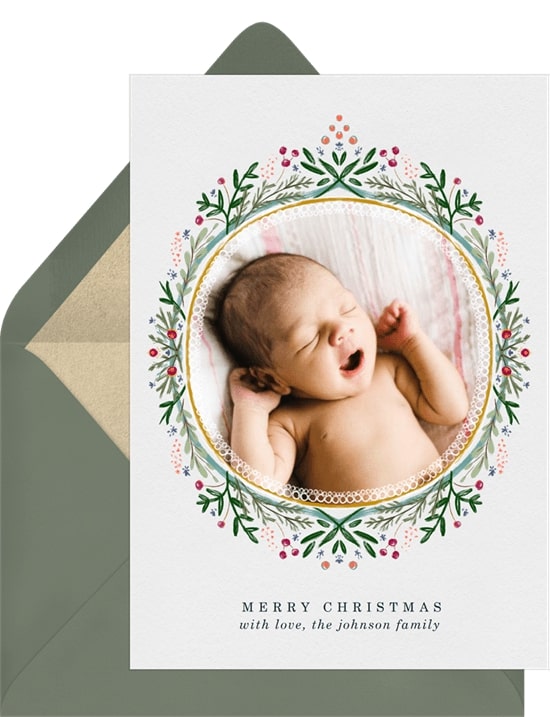
This template makes it incredibly easy to design your own holiday card. Simply add your favorite family photo to the inside of the wreath, then write a quick, “Happy holidays!” to your loved ones at the bottom.
7. Howlidays Card
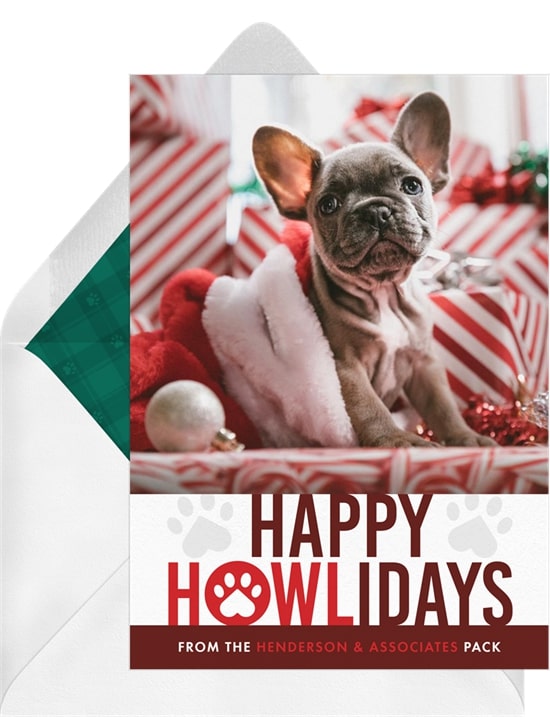
Do your furry friends make up the bulk of your family? This design gives one photo space to your fur baby, with a paw print detail and room for a quick note of well wishes to family and friends.
8. Happy Hanukkah Card
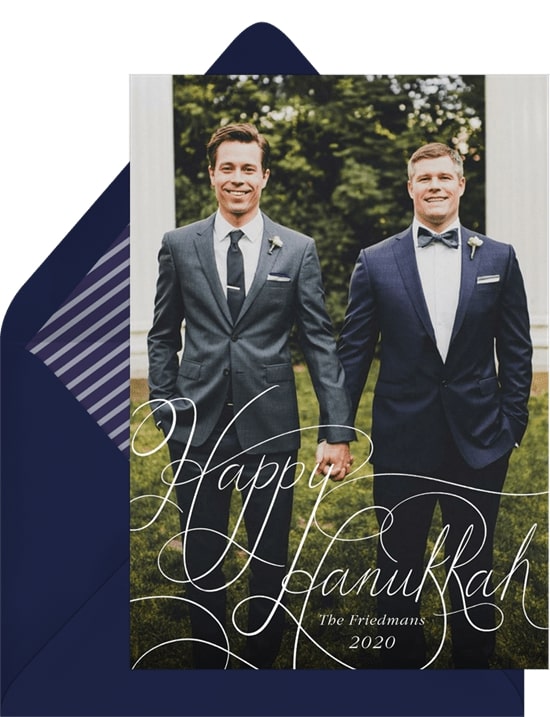
This hand-lettered design sets “Happy Hanukkah” over a full-bleed photo of your family, with the option to write your own greeting on the back side of the card.
9. Six Wishes Card
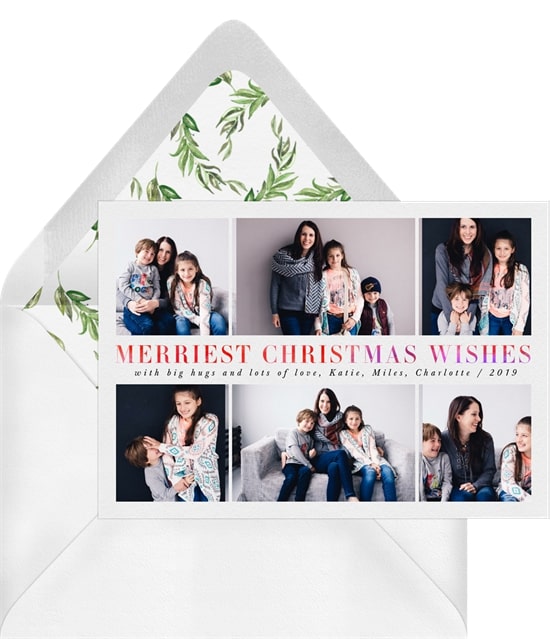
If you can’t make up your mind this season, you simply have to go with this photo card. It features six photo spaces, three above the greeting and three below it, to capture your favorite moments of the year.
10. Year of Gratitude Card
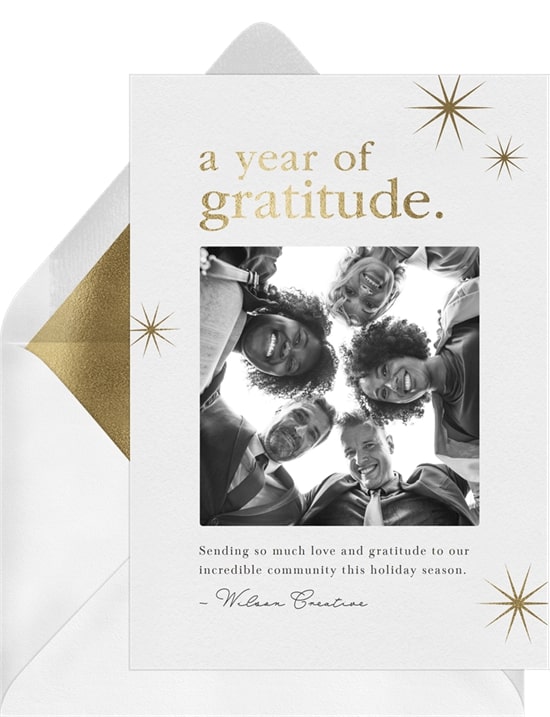
This simple holiday card suits a year-end thank you, whether you’re closing out the year with family or sending gratitude to the people who made it a good one. A square photo sits framed by metallic-look typography and starbursts, with plenty of room for additional text.
Greenvelope Makes it Easy to Send Your Photo Holiday Card
Each year, life seems to get increasingly hectic. Fortunately, sending out a photo holiday card is a fun way to update friends and family on your ever-evolving life.
With Greenvelope, sending out a holiday photo card has never been easier. Greenvelope is a digital greeting card platform that pairs designer photo layouts with an animated envelope opening. Collect your loved ones‘ email addresses, choose your wording, customize a design template to suit your tastes, then send it and follow each card’s delivery status and opens from your dashboard.
For the full walkthrough, including how to build your recipient list and read the tracking, see our guide to how to send holiday cards online.
Ready to get a jump start on your holiday cards this year? Take a look at Greenvelope’s digital holiday cards, or browse the full holiday greeting card collection to find the layout that fits your photo.