Ever stared at an invitation and wondered what those four letters actually mean? RSVP comes from the French phrase Répondez s’il vous plaît, which translates to please respond. It’s a direct request to tell the host whether you’ll attend or not — and yes, they genuinely need an answer.

Create Your Wedding Invitation
Design and send elegant, customizable digital invitations with real-time RSVP tracking — no time limit, no credit card required.
Get startedQuick Guide
- RSVP is a French initialism meaning “please respond” and requires a clear yes or no from every invited guest.
- Respond promptly. Ideally within 24-72 hours, even if the deadline is weeks away.
- Different invitation formats (“RSVP,” “Regrets only,” digital vs. paper) require slightly different approaches, but every invitation deserves a response.
- Accurate RSVPs directly affect the host’s budget, food planning, seating chart and stress level. Every response helps.
- Digital tools like Greenvelope make tracking responses and sending reminders effortless for hosts while simplifying the process for guests.
What Does RSVP Mean?
RSVP stands for Répondez s’il vous plaît, a French phrase meaning respond, if you please. The term entered English during an era when French dominated European diplomacy and etiquette, which is why we still borrow terms like encore and à la carte. Today, “RSVP” functions as both a noun and a verb:
- As a noun: “We’ve received 86 RSVPs so far.”
- As a verb: “Please RSVP by May 5.”
- As a label: When you see it on an invitation, it signals we need your answer.
Hosts include RSVPs on their invitations because it helps them plan food and drinks for the correct number of guests, arrange chair and table rentals, meet venue minimums, manage the budget, and finalize seating charts. When you use Greenvelope’s digital invitations, guests can respond instantly through built‑in RSVP buttons, eliminating lost mail and the guesswork that comes with waiting for paper reply cards.
RSVP Etiquette for Guests
The most important rule is to respond (“yes” or “no”) to invitations that include an RSVP. Silence creates stress for the host, who can’t plan without knowing how many people will attend.
Timing Expectations
- Aim to RSVP within 24–72 hours of receiving your invite.
- Don’t wait until the deadline if you already know your answer.
Best Practices for Guests to Follow
- Read the entire invitation: pay attention to the date, plus‑one details, and whether children are invited.
- Respond through the method the host provided: this could be a Greenvelope RSVP link, enclosed card, email, or phone call.
- Try to avoid vague “maybe” responses: if you’re truly undecided, let the host know your situation, and follow up with a “yes” or “no” answer as soon as you can.
When accepting, a simple note like “Thank you for the invitation! I’m looking forward to celebrating with you” works well. When declining, try something like: “Thank you for thinking of me. Unfortunately, I won’t be able to attend, but I hope it goes great.”
How to Respond to Different Types of RSVP Requests

The wording on an invitation affects how you should respond. Here’s how to handle each format:
“RSVP”
Respond with a clear yes or no by the listed date using the channel provided.
“RSVP by [date]”
This is the latest you should reply, but an early response is always appreciated to help your host with planning.
“Regrets only”
You only need to reply if you can’t attend; otherwise, the host will count you in. Still, a quick “yes” is a kind gesture and helps with planning.
No RSVP line
It’s still courteous to contact the host and let them know whether you’re coming. A quick message or call ensures they aren’t left guessing.
For modern digital formats:
- Text or email invitations: Reply in the same channel with a short, friendly message unless told otherwise.
- Social media event invitations: Use the platform’s Yes/No buttons, and consider sending a personal note for milestone events like weddings.
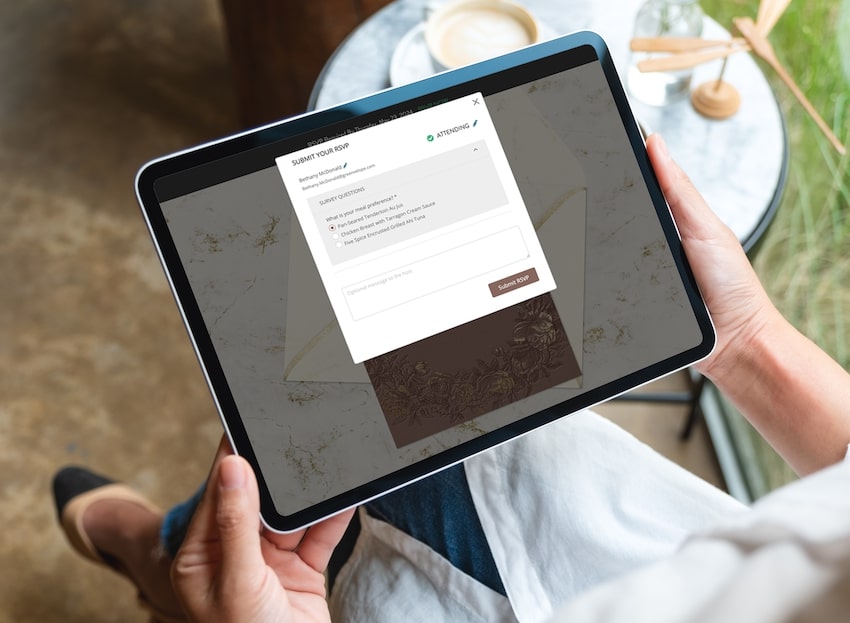
- Greenvelope invitations: Click the RSVP button, select attending or not attending for each name, and answer any follow‑up questions like meal choices.
Wedding Invitation RSVP Etiquette: Deadlines, Plus‑Ones and Kids
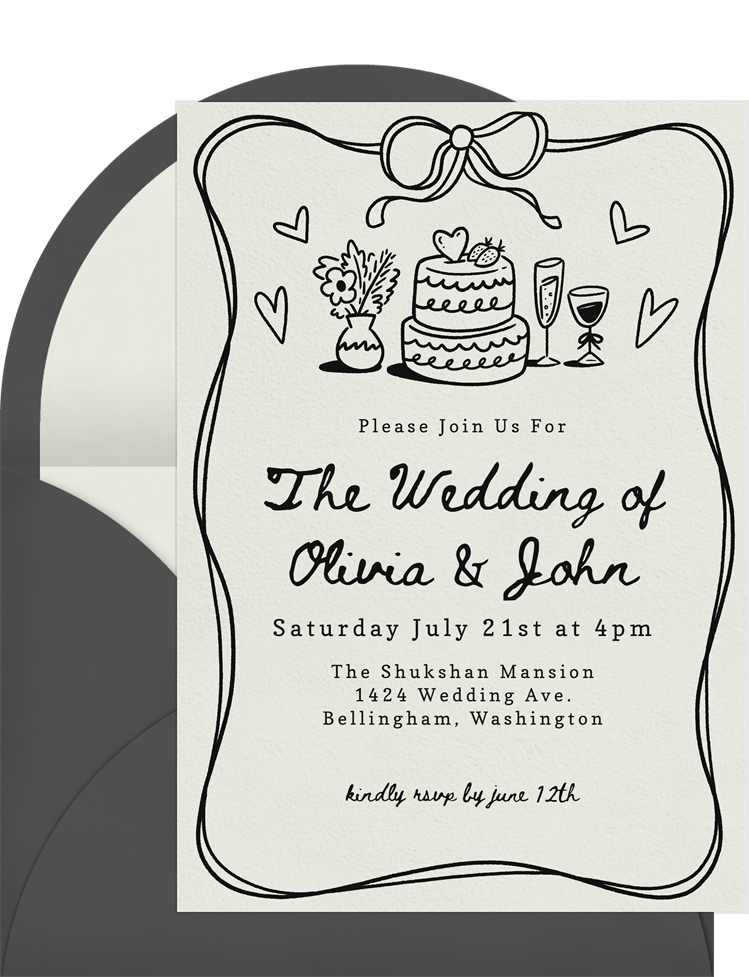
Wedding invitations rely heavily on accurate RSVPs because seating charts, catering guarantees and vendor contracts all depend on exact numbers.
RSVP Timelines for Guests
- Local weddings: Invitations typically arrive 8–10 weeks ahead, with RSVP deadlines 3–4 weeks before the date.
- Destination weddings: Save‑the‑dates may go out 8–12 months ahead, but the formal RSVP will have a firm deadline.
Plus‑One Etiquette
- Only bring a guest if the invitation explicitly includes “and guest” or lists two names.
- Don’t request a plus‑one unless there’s a practical reason (like international travel).
Adults‑Only Events
Phrases like “Adults‑only reception” or “We kindly request a child‑free celebration” mean children aren’t invited unless specifically named. Respect the couple’s decision rather than trying to negotiate exceptions.
Filling Out Wedding RSVPs Correctly
- Use your full names or as requested.
- Clearly indicate acceptance or regret.
- Note allergies or dietary needs in the space provided.
- Remember to double‑check your email address and phone number when submitting your RSVP so the host can share updates or last‑minute changes.
If you truly cannot confirm by the deadline due to work travel or medical issues, contact the couple directly, explain briefly and agree on a firm follow‑up date.
Digital RSVP Experience With Greenvelope
Greenvelope offers a modern, eco‑friendly alternative to paper invitations with built‑in RSVP tracking and automated reminders. Digital invitations are just as formal and valid as paper cards, and should be treated with the same timeliness and grace.
What the RSVP Experience Looks Like
- Open the email or text invitation.
- Click the RSVP button.
- Select attending or not attending for each name listed.
- Answer follow‑up questions (plus ones, meal choice, song requests, travel details).
How Hosts Benefit
With Greenvelope, hosts receive live guest count updates without manual spreadsheets and see who has viewed but not responded. They can also choose to send automated reminders, send messages, or update event details for any last-minute changes. Because everything stays digital, hosts avoid lost reply cards, illegible handwriting, or missed meal selections.
How to Say “No” or Change Your RSVP (Gracefully)
Life happens: work trips appear, babysitters cancel, flights change. When your plans shift, your host will appreciate hearing from you (directly and as soon as possible). Here’s some tips on how to word it.
Saying “No” Politely
- Thank the host for the invitation.
- Decline clearly without vague “we’ll see” language.
- Include a short, honest reason if you’d like (without oversharing). For example, “Thank you for including me in your celebration. Unfortunately, I won’t be able to attend, but I’m so happy for you both.”
If You’re Not Sure Yet
- Contact the host right away and explain that a schedule conflict is possible.
- Ask if a later date for a firm answer is acceptable.
- Give a definitive answer by that date, even if it means saying no.
Changing Your RSVP
- Cancellations: Contact the host as soon as you know, apologize briefly and express your appreciation.
- Late additions: Ask first. Never assume adding guests is fine, especially for seated events. Greenvelope allows hosts to reopen RSVPs if needed, but avoid last‑minute changes whenever possible to protect the host’s planning and budget.
RSVP Etiquette for Hosts: Clear Communication and Smart Systems
As a host, you’re relying on your guests to RSVP, but you can dramatically improve your response rates with thoughtful invitation wording and the right modern tools.
Clear RSVP Wording Tips
- Always include an RSVP‑by date, not just “RSVP.”
- Specify how to respond, such as “Please RSVP online via Greenvelope by Friday, September 4, 2026.”
- Avoid confusing phrases like “Regrets only” for events where you need precise headcounts.
Setting Realistic Deadlines
Work backward from caterer and venue deadlines (often 10–14 days before the event). Set guest RSVP dates 3–4 weeks ahead to leave time for following up.
Handling Non‑Responders
- Use Greenvelope’s built‑in reminder emails to nudge guests who haven’t replied.
- After the deadline, send a brief message or call to confirm.
- Assume “no” only after reasonable attempts.
Collecting Additional Information
Consider asking about dietary restrictions, accessibility needs, or transportation preferences. Simple questions like ‘Will you be using our shuttle service?’ go a long way, and Greenvelope’s customizable forms make gathering this information a breeze.
FAQ About RSVPs
Do I really have to RSVP if I know I can’t attend?
Yes. Always respond so the host can finalize food, seating and costs. A simple “Thank you for the invitation. Unfortunately I won’t be able to attend.” works perfectly.
What if I miss the RSVP deadline on a Greenvelope invitation?
Respond through Greenvelope immediately if the link is still active, then follow up with a quick message to acknowledge the delay. If the form has closed, contact the host directly and understand that space may already be set.
Is it rude to bring an uninvited guest if I’ve already RSVP’d?
Adding uninvited guests (including children) is poor etiquette because it affects the budget and seating. If your situation changes, talk to the host privately and be prepared for the answer to be no.
What should I do if I never received the invitation but hear about the event later?
Reach out discreetly to ask whether an invitation was intended as mail issues do happen. If you weren’t on the guest list, accept graciously without putting pressure on the host to include you.
How formal does my RSVP wording need to be?
Match your tone to the event. For a formal gala: “Mr. and Mrs. Smith accept with pleasure.” For a casual birthday: “Can’t wait to join the fun!” Let the invitation’s formality guide your response.
How should you handle RSVPs if your guest list changes after invitations go out?
If your guest list changes after invitations have been sent, communicate carefully and directly. Hosts should avoid casually adding new people once plans, seating, and catering numbers are underway, since even small guest list changes can affect the budget and logistics. If a change is absolutely necessary, update the invitation clearly and give the guest enough time to respond.
What should you do if you need to make last‑minute changes to your RSVP?
Contact the host as soon as possible and be clear about what changed. Whether you now have to decline or need to update details, prompt communication is the most polite approach. For digital invitations, Greenvelope makes it easier for hosts to manage updates, but guests should still avoid last‑minute changes whenever possible.